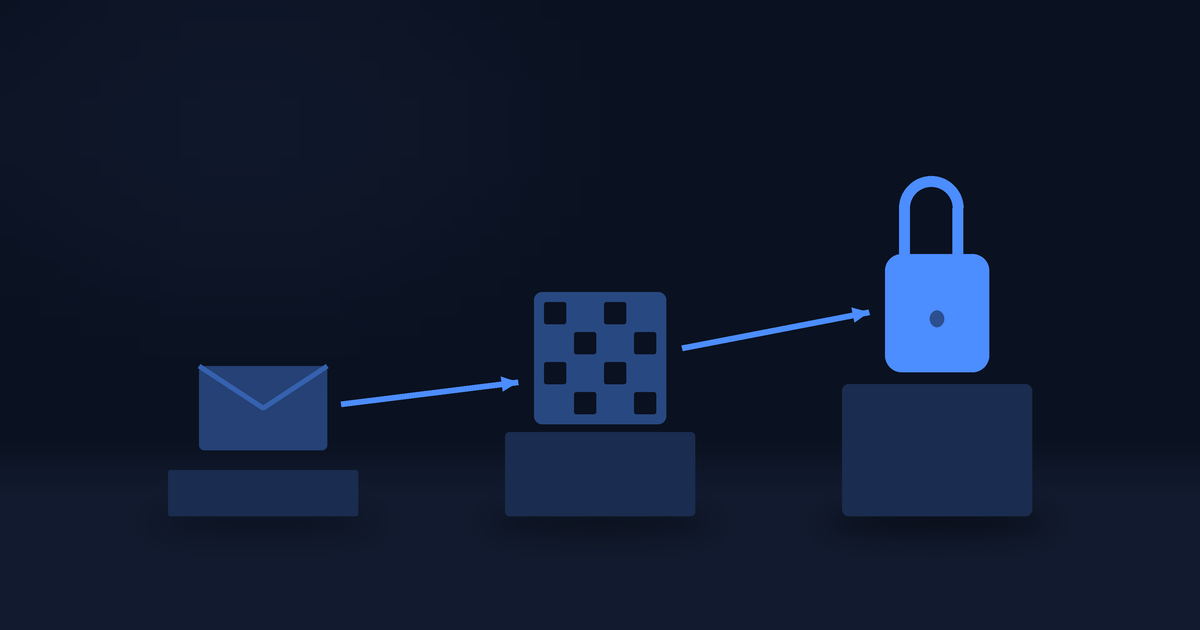
A gift-card code is a bearer value. Whoever reads it first can spend it, and no step afterwards checks whose account it came from. That is what makes it convenient, and it is exactly why a password on its own is not enough to put one on a screen.
So seeing your codes on this site, and re-sending them to your email, sits behind 2-step verification. Turning it on takes two screens and about a minute. Here is what each one wants.
Do this first
Install an authenticator app, and pick one that survives losing your phone. Google Authenticator with cloud backup on, Authy, 1Password, Bitwarden, or the generator built into your password manager all work.
This matters more than it sounds, and the reason is at the bottom of this page. Two minutes choosing the app is time well spent.
You will also need to be able to read your email, because the first step sends a code there.
Where to start
Open the account menu at the top right. If 2-step verification is off, Profile carries a small warning triangle.
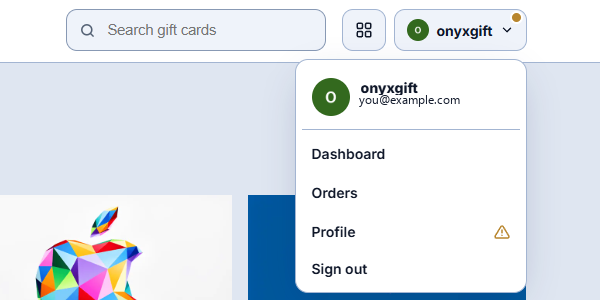
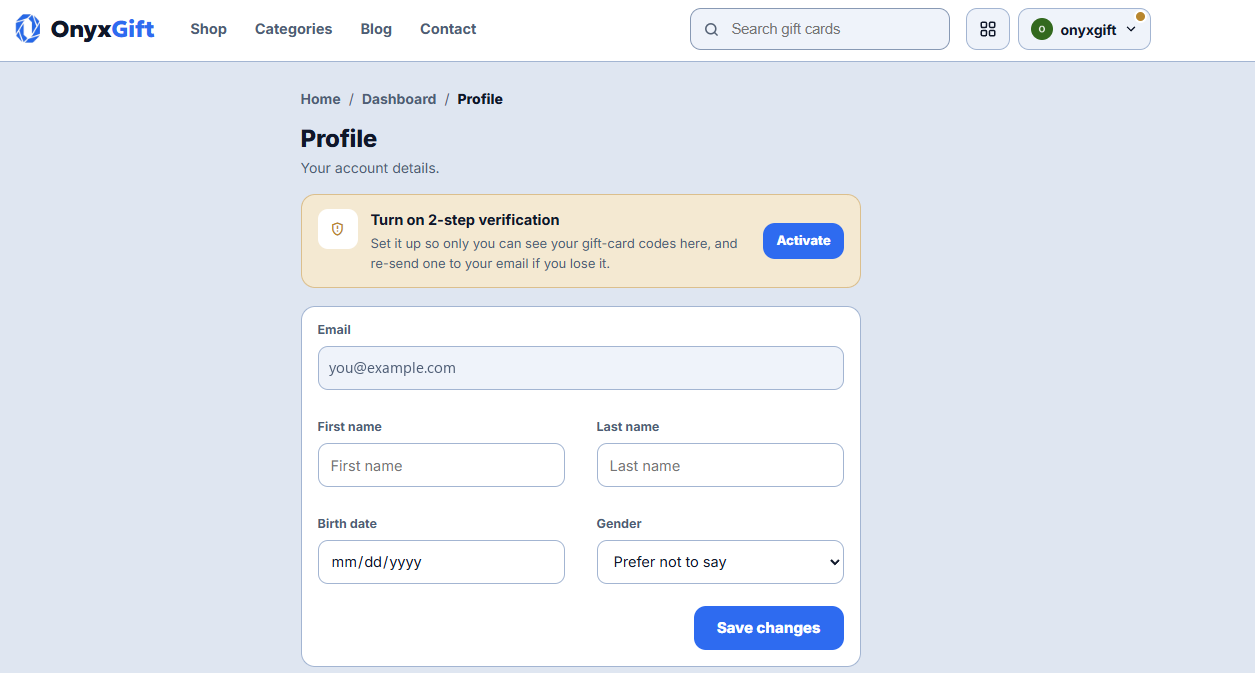
On the Profile page there is a banner at the top: Turn on 2-step verification, with an Activate button. That is the whole entry point.
You can also get there from any delivered order. Tapping Reveal my code when 2-step verification is off sends you to the same setup and returns you to the order afterwards.
Step 1 of 2: verify your email
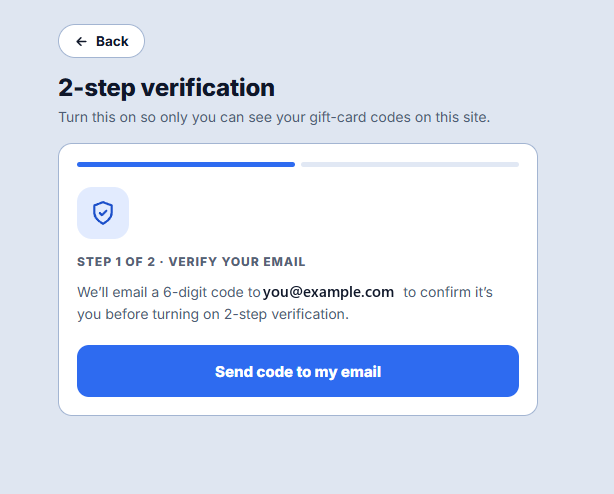
The first screen says it will email a 6-digit code to your address, to confirm it is you before anything changes. Press Send code to my email.
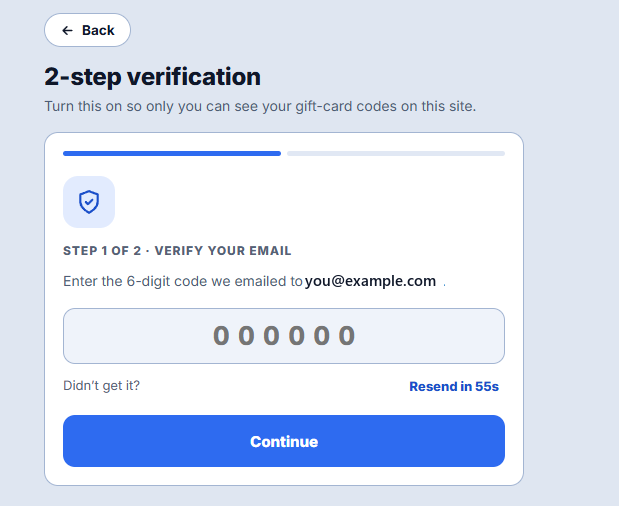
Then enter the 6 digits and press Continue.
Two things worth knowing here:
- Resend is on a 60-second cooldown. The link reads Resend in 55s and counts down. That is deliberate and not a fault.
- If the email does not arrive, check Spam and, in Gmail, the Promotions tab. This step and only this step depends on your inbox working.
Step 2 of 2: the authenticator app
This screen shows a QR code. Scan it with the app you installed, then type the 6-digit code the app displays and press Turn on 2-step verification.
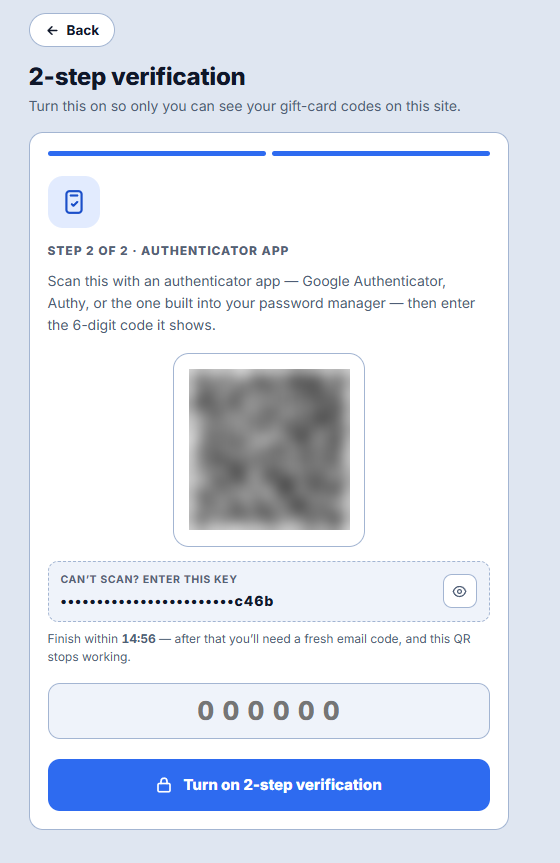
If your phone cannot scan, there is a Can't scan? Enter this key box underneath with the same secret in text form. It is hidden behind a dot mask by default; tap the eye to show it, and there is a copy button once it is visible.
That masking is not decoration. The key is a permanent credential: anyone who reads it can generate valid codes for your account forever, and unlike a password you would never know. Reveal it only long enough to type it into your app, and not while sharing a screen.
The 15-minute window
The screen says: Finish within 14:56, counting down.
That is a real deadline, and it is the single most common way this goes wrong. Fifteen minutes after you confirm the email code, the setup expires and that QR stops working. If you wander off to install the app now, you will come back to:
That took longer than 15 minutes, so the setup expired. Send a fresh code to start again.
Nothing is broken and nothing is lost. Press back to step 1, get a fresh email code, and the new QR will work. But it is why installing the app before you start is the advice at the top of this page.
Done
The last screen confirms it is on, and tells you what changed: you can now see and re-send your gift-card codes any time, by entering a code from your authenticator app.
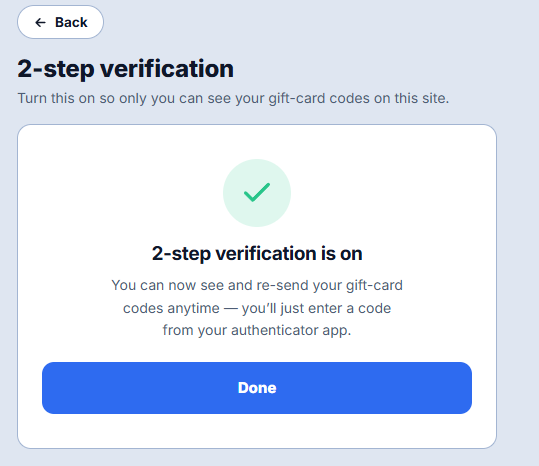
From then on, every delivered order has a working Reveal my code button, and inside it a second option, Email them to me instead, if you would rather have another copy sent to your inbox. Neither needs a new email code; the authenticator generates them by itself.
If you arrived from an order, Done takes you back to that order.
The part to read before you start
There is no self-service way to turn 2-step verification off again.
That is a deliberate choice, and it is the honest cost of the protection. A switch that disables the second factor from inside the account is a switch an attacker with your password would use first, which would make the whole thing decorative.
The practical consequence is on you: if you lose your authenticator and have no backup, you cannot reach your codes, and only support can help. So before you enrol, make sure the app you chose either syncs to your account or that you have saved the key somewhere safe.
Use an app with cloud backup, or save the key from the Can't scan box in a password manager. Either is enough. Doing neither is the version of this that ends with an email to support.
Frequently asked questions
Which authenticator app should I use?
Any that generates 6-digit TOTP codes. Google Authenticator, Microsoft Authenticator, Authy, 1Password and Bitwarden all do. Prefer one that backs up or syncs, because that is what saves you if the phone goes missing.
I did not get the email code.
Check Spam and Gmail's Promotions tab, and search for the message rather than browsing for it. Resend becomes available after 60 seconds. If nothing ever arrives, write to [email protected], because this step cannot be completed without it.
The setup expired while I was installing the app.
Expected, and harmless. Go back to step 1, send a fresh email code, and scan the new QR. The 15-minute clock starts when you confirm the email.
My authenticator code is refused even though it looks right.
Two usual causes. The code rotates every 30 seconds, so a code read just before it changed is already stale; wait for the next one. And if the phone's clock is off, every code it generates is wrong, so set the time to automatic.
After too many attempts it stopped accepting anything.
Entry locks for a while after repeated failures, and during the lock a correct code is refused too. The screen shows a countdown. Wait for zero. Trying again during the lock extends it.
I lost my authenticator. What now?
Write to [email protected] from the email address on the account and include an order number. There is no self-service reset, for the reason set out above.
Do I have to do this for every order?
No. You enrol once. After that, every order you have bought and every one you buy later opens with a code from the same app.
I only want the code from one order. Is there a shortcut?
No, and the shortcut is the thing being prevented. If your codes could be read without the second factor, one leaked password would empty every delivered order in the account. See what to do when your code has not arrived for the two routes a code can reach you by.