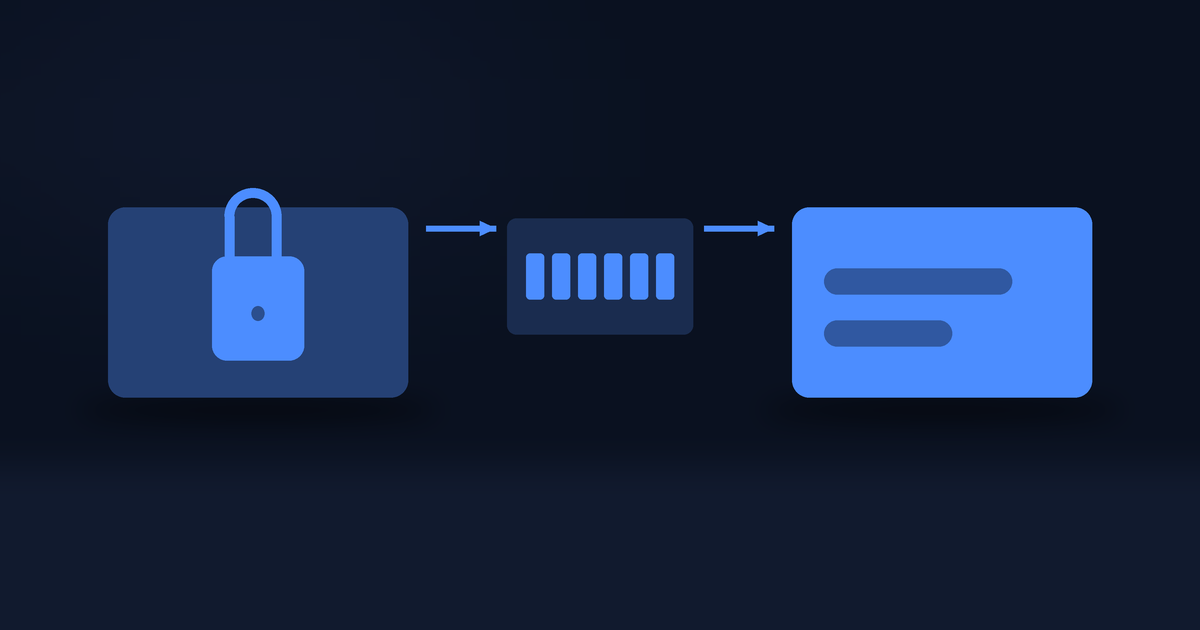
Your code is emailed to you when the order is delivered, but that email is a copy, not the original. The order itself keeps the code, and you can open it on the site whenever you want: the day you buy it, or a year later.
This page is the walkthrough. It takes about fifteen seconds once the one prerequisite is done.
First, the prerequisite
2-step verification has to be on. There is no way round this and no version of the reveal without it, because a gift-card code is spendable by whoever reads it and a password alone is not enough to put one on a screen.
If it is off, tapping Reveal my code does not show an error. It sends you to the setup and brings you back to the same order afterwards. That is a minute of work, once, and then it never asks again.
Turning on 2-step verification, step by step covers that setup, including the 15-minute window that catches most people out.
The rest of this page assumes it is already on.
Open the order
From the account menu at the top right, choose Orders, then tap the order you want.
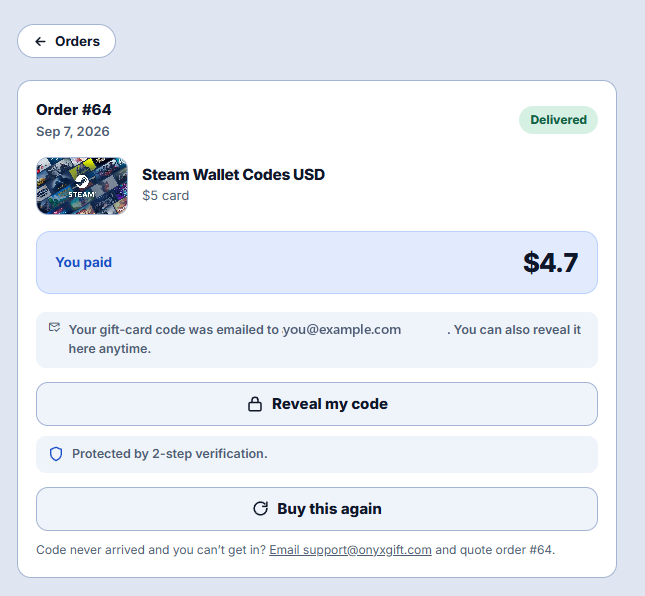
The order page opens with the order number and date at the top and a status badge on the right. Delivered is the one that has a code behind it. If it says Awaiting payment or Processing, nothing has been issued yet and there will be no reveal button, because there is nothing behind it.
Underneath you will see the product, the denomination, and what you actually paid. Then a line reminding you which address the code was emailed to, and that you can reveal it here any time.
Reveal it
Tap Reveal my code.
A box opens asking for your Authenticator code. Enter the current 6-digit number from your authenticator app and press Reveal code.
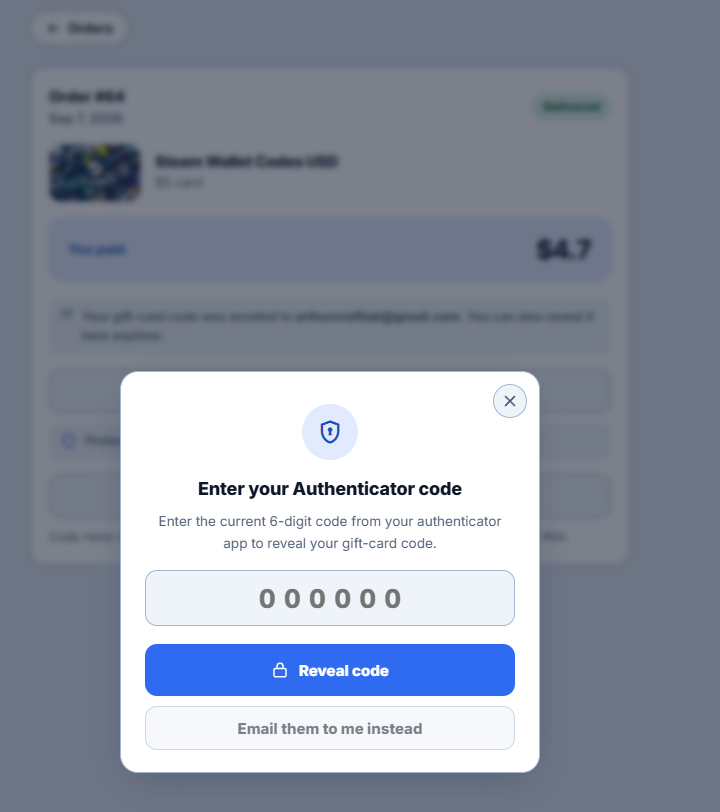
The number rotates every 30 seconds, so if you are reading one that is about to change, wait for the next. There is no request sent per keystroke; nothing happens until you press the button, which means a half-typed code costs you nothing.
What you get
The code appears on the same page, in a card showing the brand, the face value, and the code fields themselves: card number, and a PIN where the brand uses one.
Two things about that panel are worth knowing, because they are easy to miss and they are the difference between this being safe and being theatre.
The values are masked until you ask for them. Each field has an eye button next to it. Nothing is on screen until you press it.
Copy works while the value is still masked. This is the part most people do not notice. The ordinary path, copy the code and paste it into the brand's redemption page, never displays the code at all. Use it in a cafe, on a shared screen, on a call: the code goes from our page to their page without ever being visible.
There is a note under the panel about the clipboard, and it is worth reading once. Windows and macOS both keep clipboard history and can sync it to your other devices, and any app on the machine can read it. Copying is still the right move over retyping. But on a shared computer, copy something harmless afterwards.
The other two buttons
Email them to me instead sits inside the same box, under Reveal code. It re-sends the code to the address on the order rather than showing it. Same authenticator code, different destination. Use it if you would rather have it in your inbox than on screen, or if the first email genuinely never arrived.
Note that it goes to the same address as the original. If that address is the problem, this button will not fix it.
Buy this again is on the order page itself. It takes you to the product page rather than straight to checkout, because the order records the face value but not what you paid for it, and crypto prices move. You get a current quote instead of a stale one.
If you cannot get in at all
At the bottom of the order page there is a line for exactly this: email support and quote the order number, which is shown right there.
The case it exists for is narrow but real. Turning on 2-step verification requires a code sent to your email, so if your email is genuinely broken rather than just slow, you cannot reach the setup, and therefore cannot reach the reveal either. That loop only opens from our side. Write from the address on the account, include the order number, and we will handle it.
If the code simply has not turned up yet and you have not looked in Spam, start with what to do when your code has not arrived instead.
Frequently asked questions
How many times can I reveal a code?
As many as you like. Revealing does not consume anything; it reads the code that is already attached to the order. Come back in a year and it will still be there.
Can I reveal it on my phone?
Yes. The page works the same on a phone, and having the authenticator on the same device is fine. Switch to the app for the 6 digits, switch back, paste.
Why is a password not enough?
Because a code is a bearer value. Whoever types it first gets the balance, and nothing afterwards checks whose account it came from. One reused password would otherwise empty every delivered order in the account.
I entered the right code and it was refused.
Two usual causes. The code had already rotated, so wait for the next one. Or the phone's clock has drifted, which makes every code it generates wrong; set the time to automatic. After several failures entry locks for a while, and during that lock even a correct code is refused. The screen shows a countdown; wait for zero rather than retrying, because retrying extends it.
The reveal button is not there.
Then the order is not delivered yet. Check the status badge. How long delivery actually takes explains which part of the wait is the blockchain and which part is us.
I revealed the code and the store rejected it.
That is a separate problem with three possible causes, and the error message tells you which. See read the error first.
Someone asked me to send them the code so they can check it is valid.
Do not. That request is the scam in full: any working code is spent the moment it is pasted somewhere else. We never ask for the code itself in a first support message, only the order number and the exact error.